My workstation
A few simple settings to work at a screen without neck, back or wrist pain, based on the recommendations of the INRS (French safety institute).
The numbers to remember
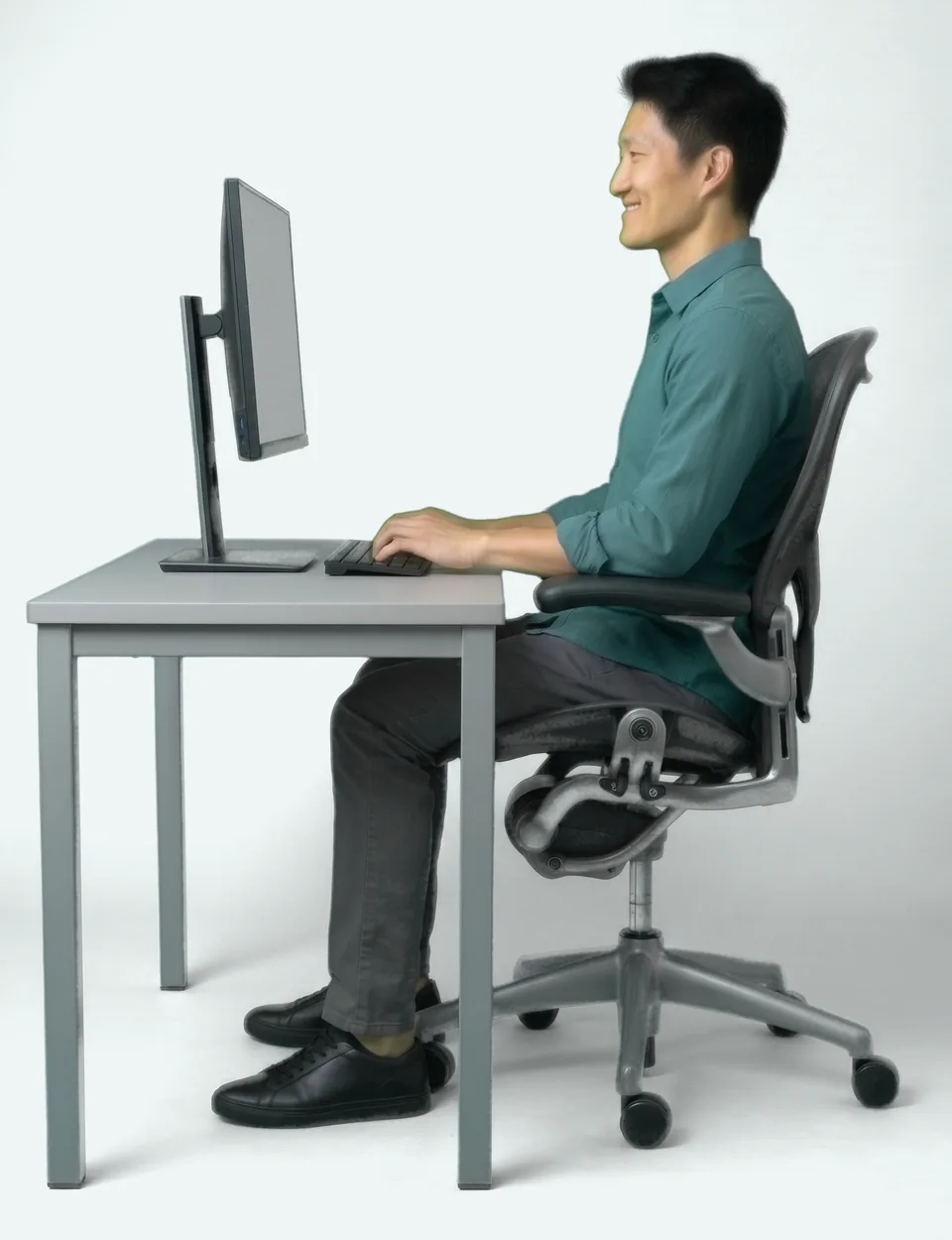
The chair
90°knees bent, or a little more
90 to 135°elbow opening
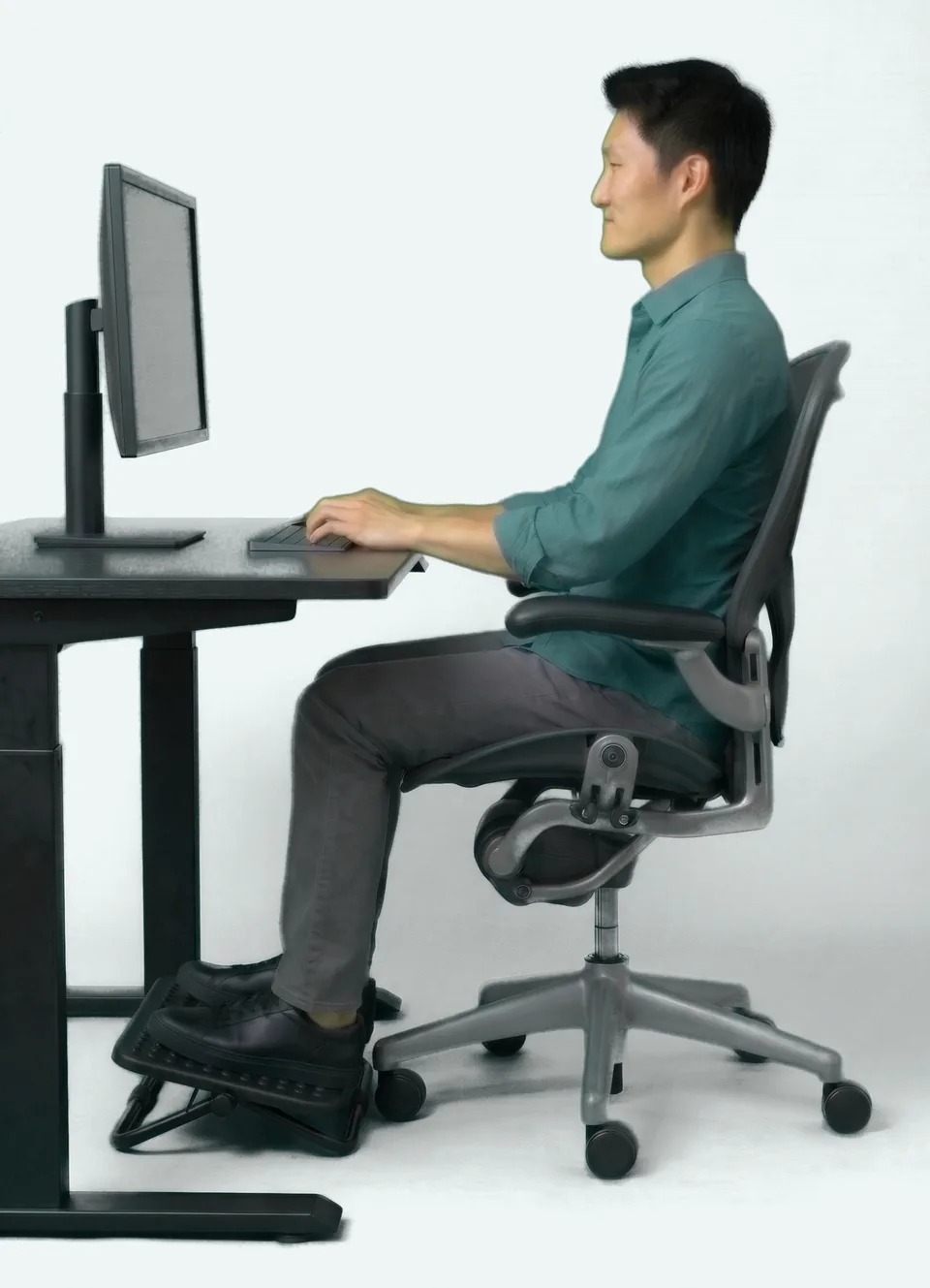
- Feet flat on the floor, or on a footrest if they do not reach it.
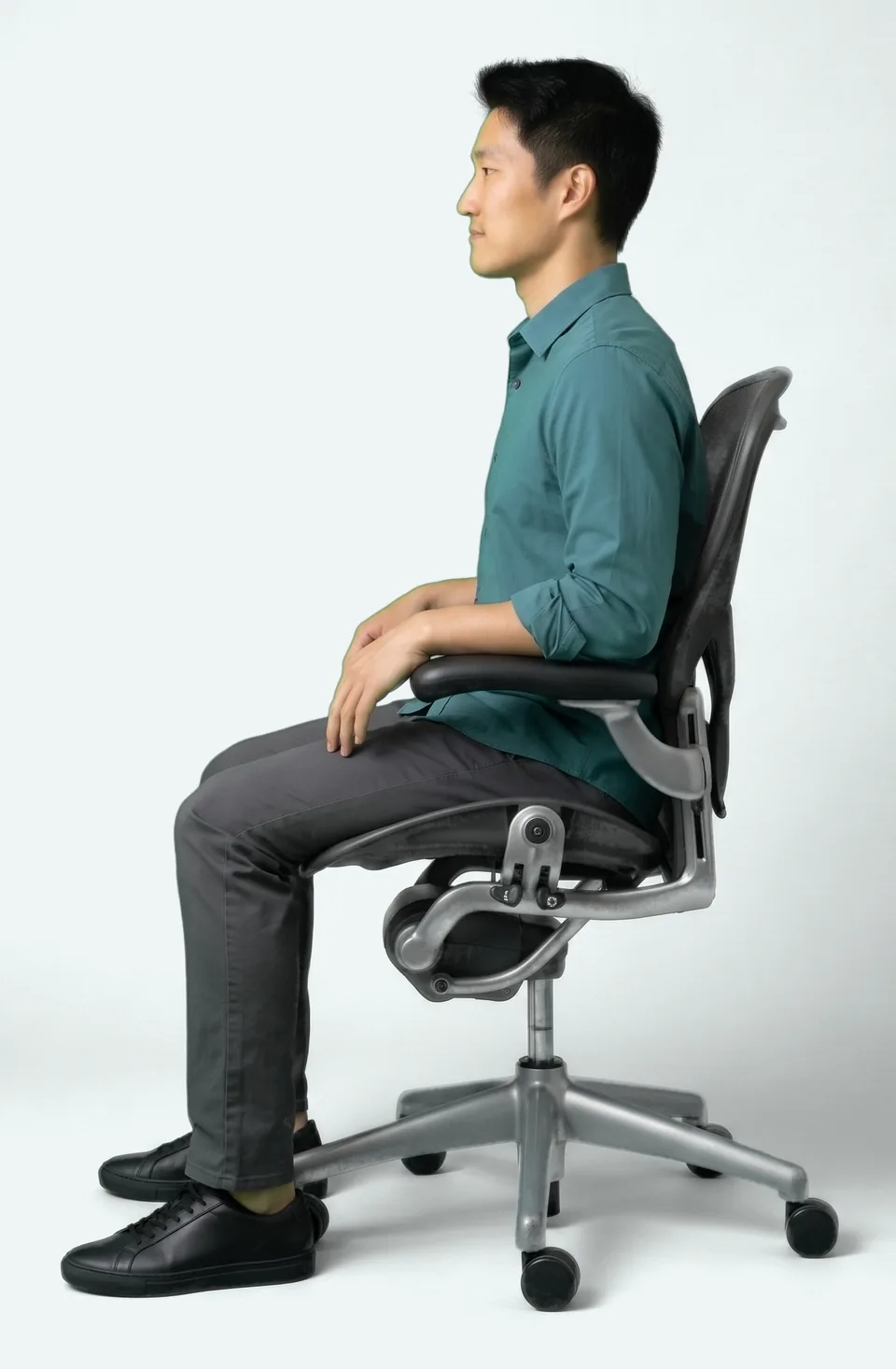
- Thighs horizontal, or hips slightly higher than the knees.
- Knees bent at 90° or a little more.
- The lower backrest supports the small of the back.
- Shoulders relaxed, elbows close to the body, open between 90° and 135°.
- Armrests support the forearms without stopping you from getting close to the desk.
The footrest
If your feet do not reach the floor once the chair is adjusted, rest them flat on a footrest.
The screen
50 to 70 cmfrom your eyes to the screen
- The top of the screen at eye level, or slightly lower if you wear progressive lenses.
- The screen 50 to 70 cm from your eyes, about an arm’s length.
- Head straight or very slightly tilted.
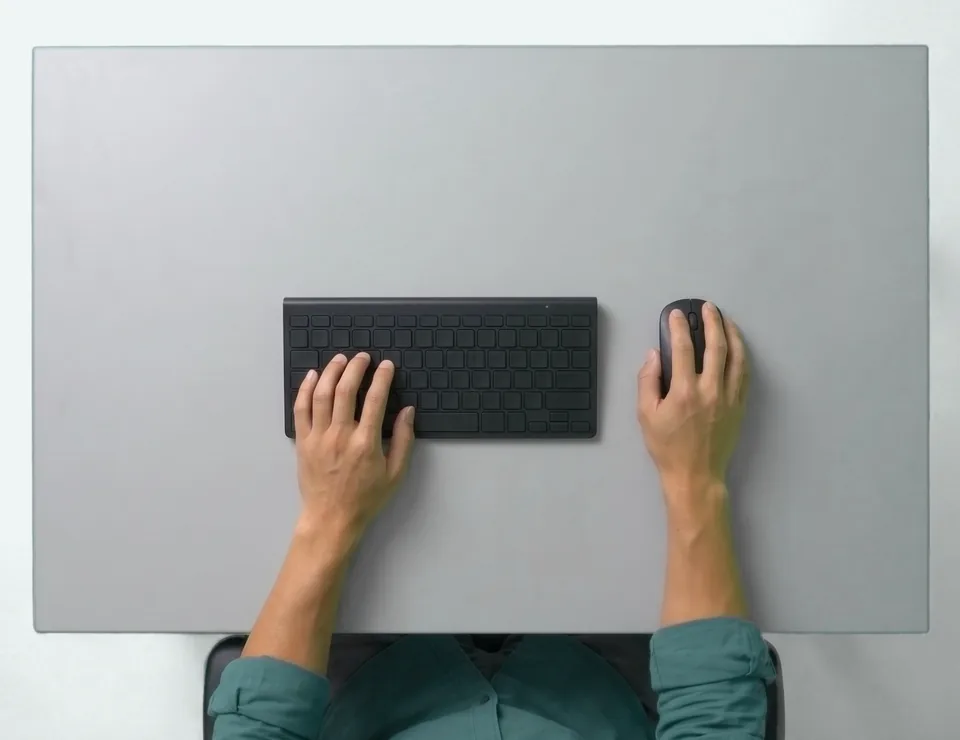
Keyboard and mouse
10 to 15 cmfrom the keyboard to the desk edge
- The keyboard 10 to 15 cm from the edge of the desk, without resting your wrists on the edge while typing.
- The keyboard’s small feet folded in.
- The mouse in line with the forearm, next to the keyboard.
Lighting
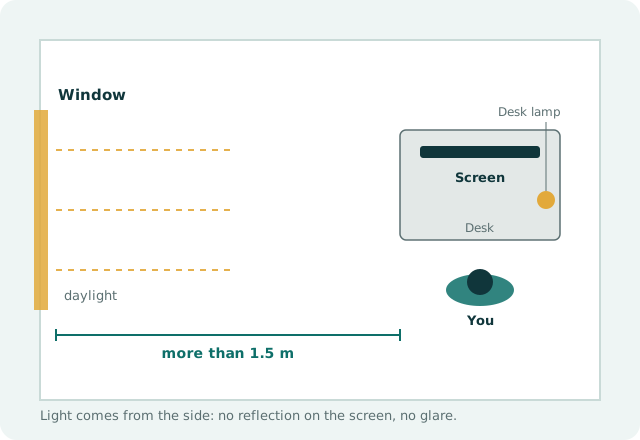
over 1.5 mfrom the screen to the windows
- The screen at a right angle to the windows, more than 1.5 m from them, to avoid reflections and glare.
- An adjustable desk lamp for reading paper documents.
With a laptop
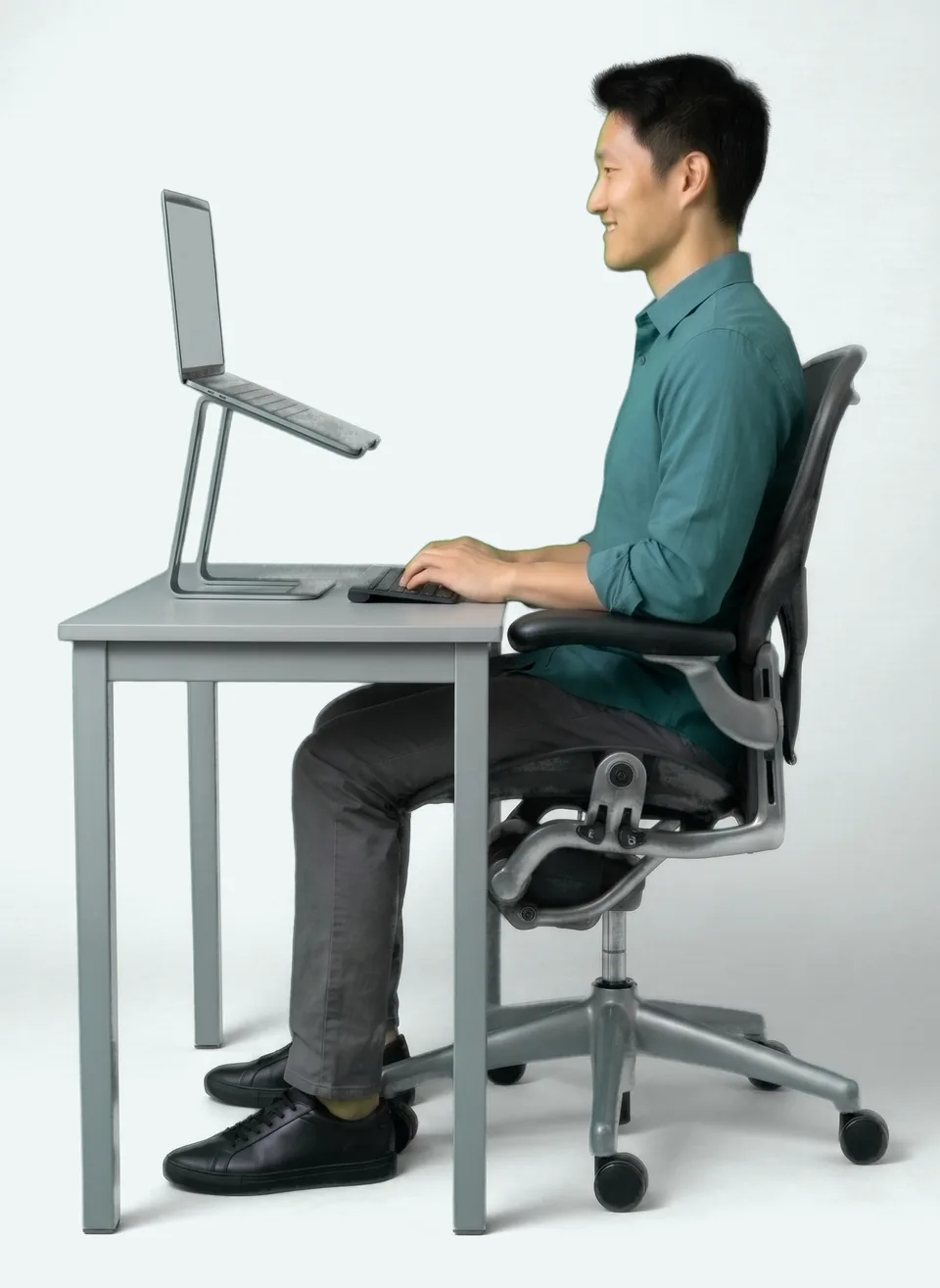
A laptop screen used flat on the desk is not suitable for long periods of work.
Raise the laptop so the top of the screen is at eye level, with a separate keyboard and mouse, or connect an external screen.
Breaks
30 minbetween active breaks, ideally
Take an active break ideally every 30 minutes: stand up, move, look into the distance. Alternate screen work with other tasks.
Respiro, the free app offered by the practice, reminds you to take these breaks.
If the pain persists
Pain that lasts despite these settings is worth discussing with your doctor or the practice.
Going further
Source
- INRS · Screen work: preventing risks (in French) (new tab)French National Research and Safety Institute, consulted on 27 October 2026